DesktopWeb

Connect with your agent

One door through which any AI app works on your sites.

Claude, Claude Code, Cursor or any MCP client drives local sites and live sites through one door. OAuth consent, per-app revocation, a per-site address that reaches one site and no other. The built-in agent runs on your own key, or on a model on your own machine.

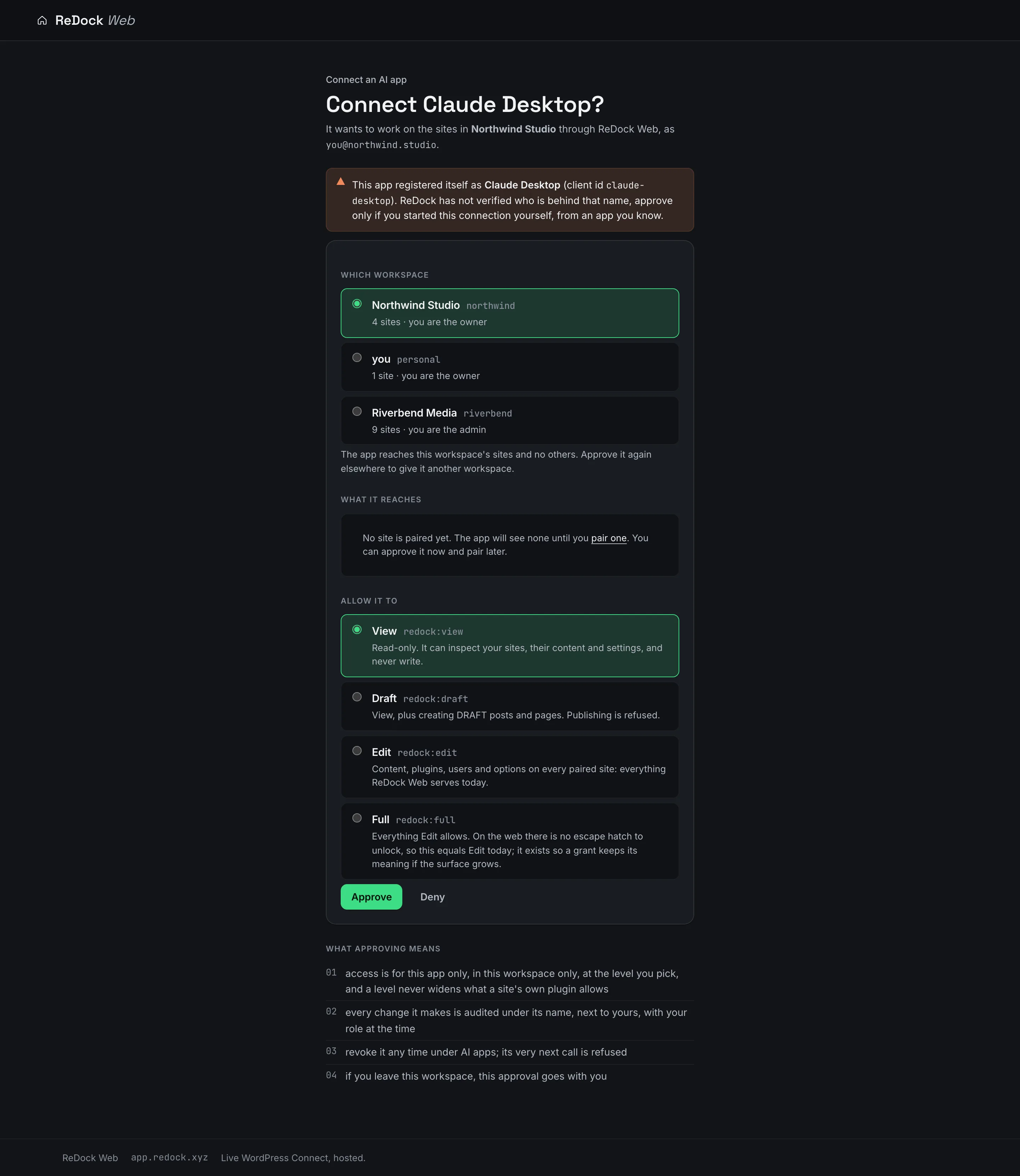
The consent screen when an AI app connects to ReDock Web, choosing the workspace and the level of access, with what approving means written out
47200
the loopback port ReDock Desktop listens on
1
door for local sites and live sites alike
7
policy switches an app is told about when it connects
4
levels of access an app can be given on the web, view to full

On your computer, a loopback address.

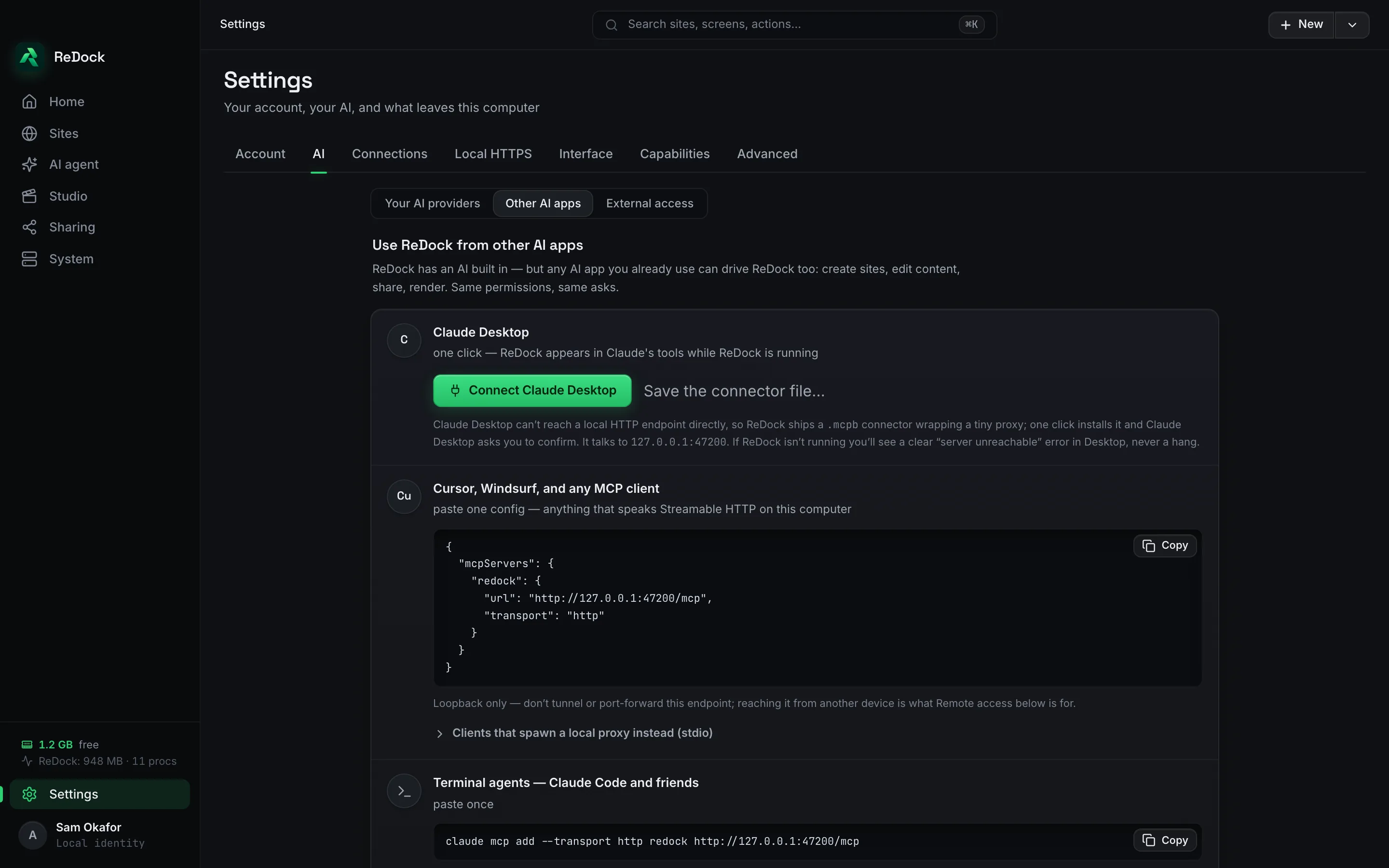
ReDock Desktop listens on 127.0.0.1 port 47200 and nowhere else. Claude Desktop connects with one click through a connector file, Cursor and any other MCP client with one pasted config, and terminal agents with one command. Same permissions, same asks as the built-in agent.

The Use ReDock from other AI apps settings, with a Connect Claude Desktop button, a config for Cursor and any MCP client, and a one-line command for terminal agents

On the web, a consent screen and a per-app revoke.

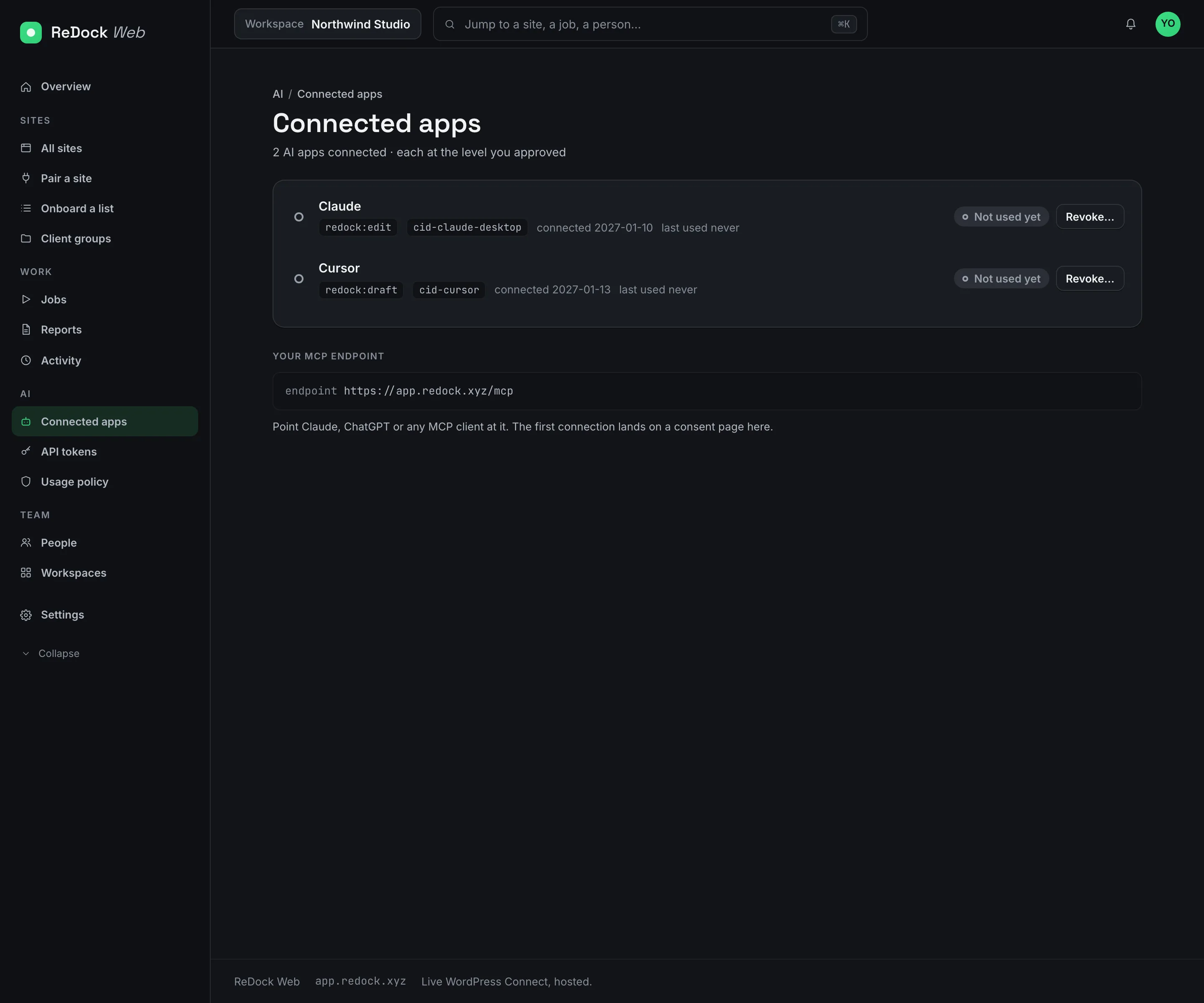
An app that connects to app.redock.xyz lands on a consent page that names the app, the workspace and the level of access, from view to edit. Approve it and it reaches that workspace's sites and no others. Revoke it under Connected apps and its very next call is refused.

The Connected apps page, each AI app with its access level, when it connected and a revoke

A site address that reaches one site.

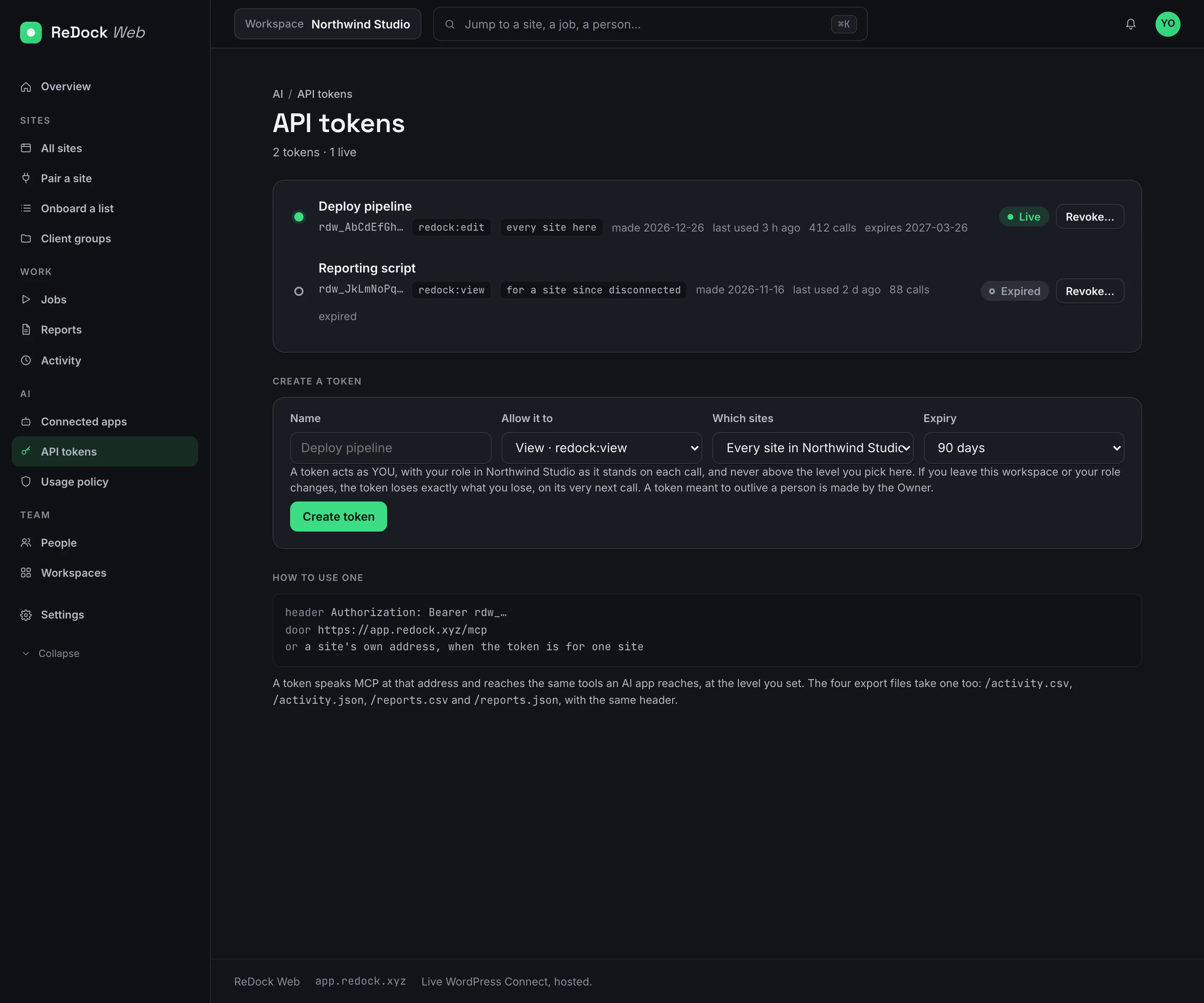
Beside the workspace door there is an address per site. Hand it to an app and that app reaches that site and no other. API tokens work the same way for your own scripts, scoped to a workspace or a site, revocable at once.

The API tokens page, tokens named for a deploy pipeline and a reporting script, each with its level, its scope, when it was last used and a revoke

The built-in agent, on your key.

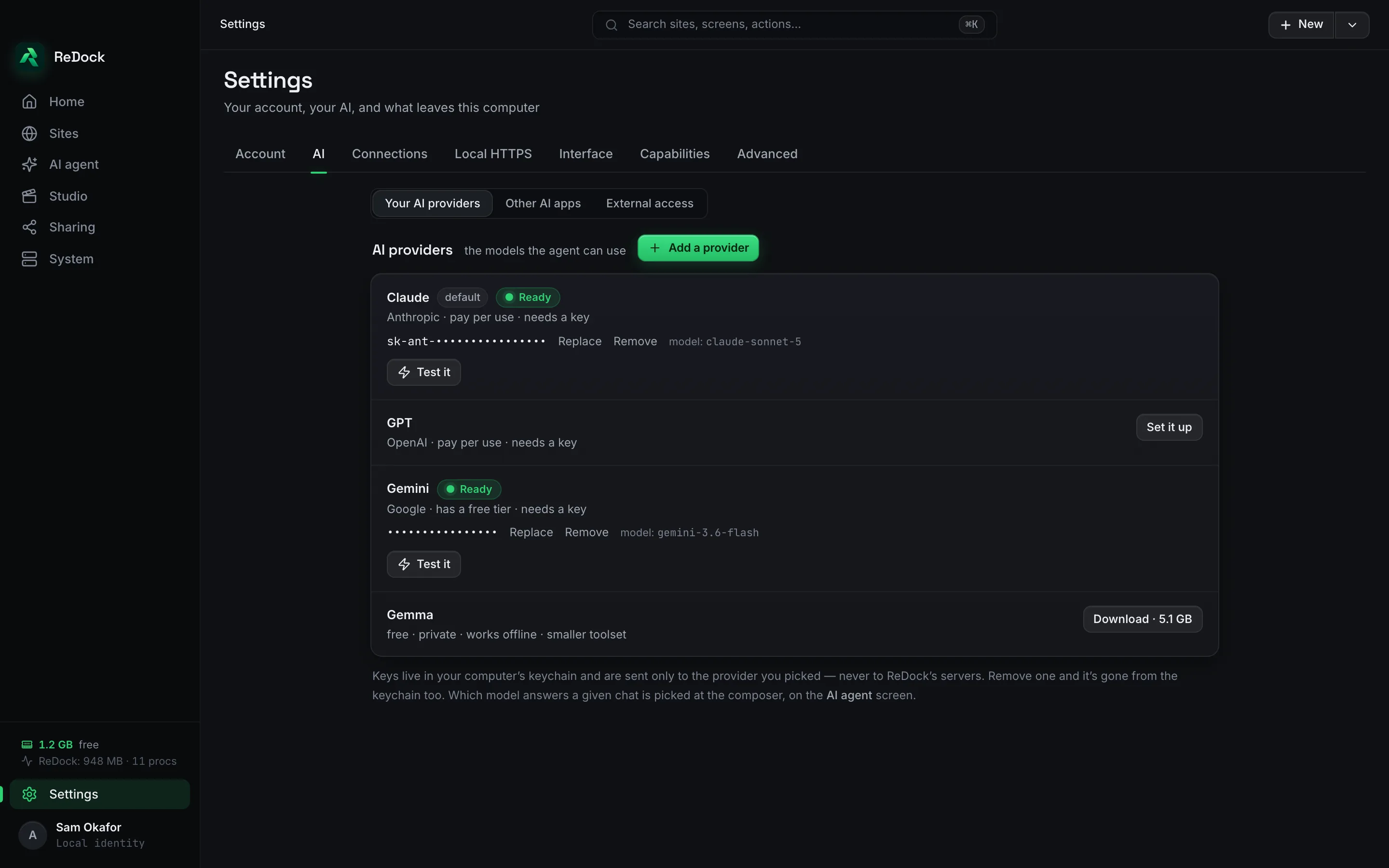
The agent inside ReDock uses your own key from Claude, OpenAI, Gemini, OpenRouter or Groq, kept in your system's credential store, or a Gemma model that runs on your computer with no key at all. It says which steps it will take before it takes them, and every change comes with an Undo.

The AI providers settings, a row per provider with its key and state, and a local model that runs on this computer

Facts

Connect with your agent, in a table.

Desktop door
http://127.0.0.1:47200/mcp, loopback only
Web door
https://app.redock.xyz/mcp, and a per-site address under it
Clients
Claude Desktop, Claude Code, Cursor, Windsurf, any MCP client, your own scripts by token
Consent
OAuth, per workspace, at a level you pick, revocable per app
Models
Claude, OpenAI, Gemini, OpenRouter, Groq, or Gemma on your own machine

Also in the catalogue

Works with

Pinpoints Web

A named place on a site the agent finds again by name.

Point at a block on your own page, give the place a name and your notes, and the agent finds it again by that name on every site it lives on. The mark rides the block's own anchor, so it survives rewording and restyling.

A public link to the site on your own computer, in seconds.

A site running in ReDock Desktop gets a public address at name.redock.xyz while it keeps running on your machine. Instant links need no account. A named link keeps its name. Point a domain you own at any site. Stop sharing and the address goes dark.

ReDock Desktop macOS · Windows

A desktop app that runs your whole local web stack in one window.

WordPress, n8n, Astro, Node, Bun, PHP, MySQL, PostgreSQL and Redis, each site at its own trusted https://name.test address. No terminal, no Docker, no hosts file. Free, on macOS and Windows.