Browserapp.redock.xyz

ReDock Web

The dashboard for the live sites a team looks after.

Connect a site, then update plugins across many sites as a job you can watch and cancel, take a snapshot before every update, see who needs attention and why, and write each client's month. One site free, then plans by how many sites you connect.

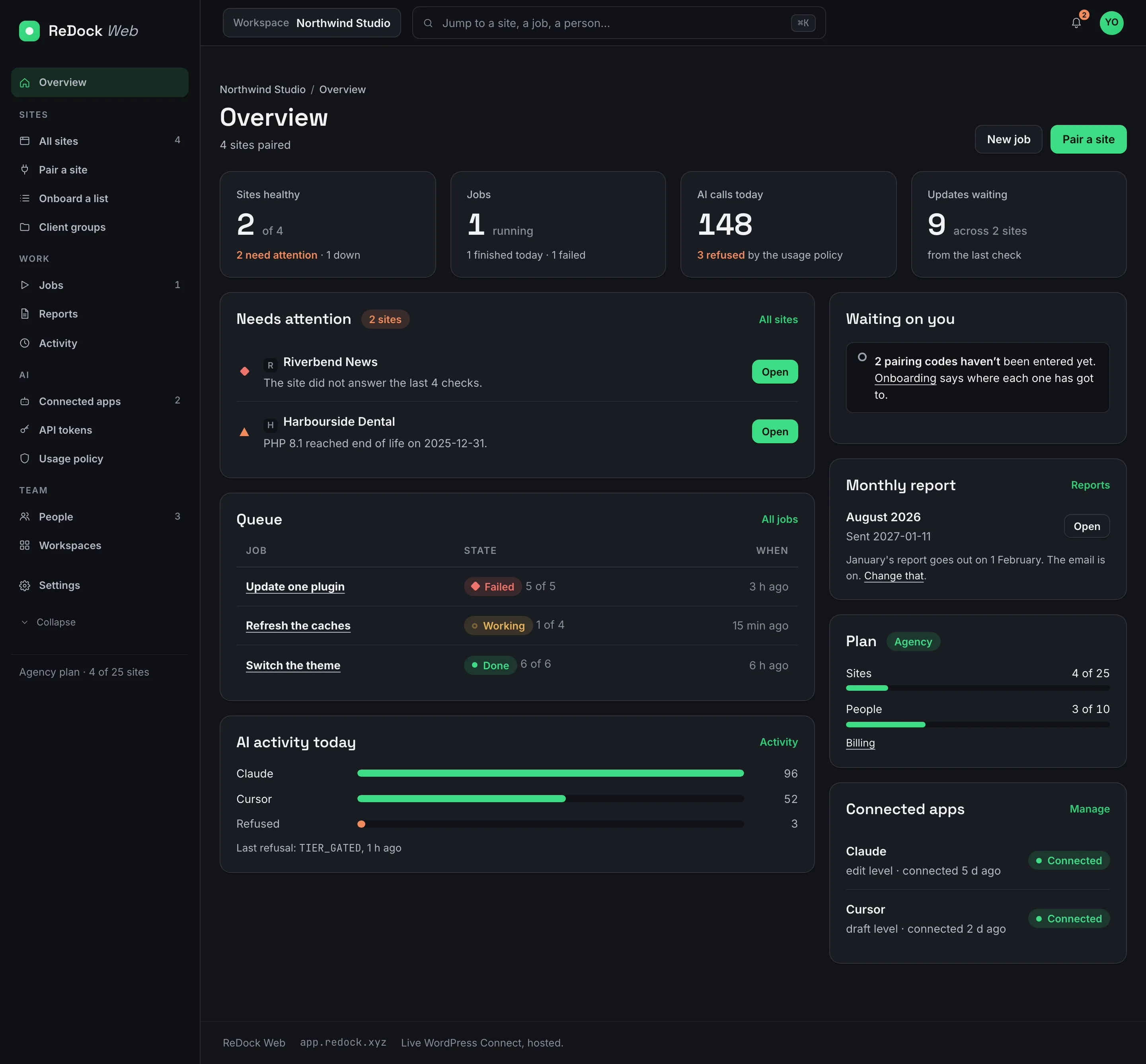
The ReDock Web overview for a workspace, with sites healthy, jobs running, AI calls today, updates waiting, a Needs attention list with reasons, the job queue and connected apps
8
kinds of job you can run across every site at once
7
policy switches that decide what an AI app may do unasked
4
roles, and a viewer presses nothing
400
days of activity kept, with who, which app, which site, when

One job across every site, and only the failures again.

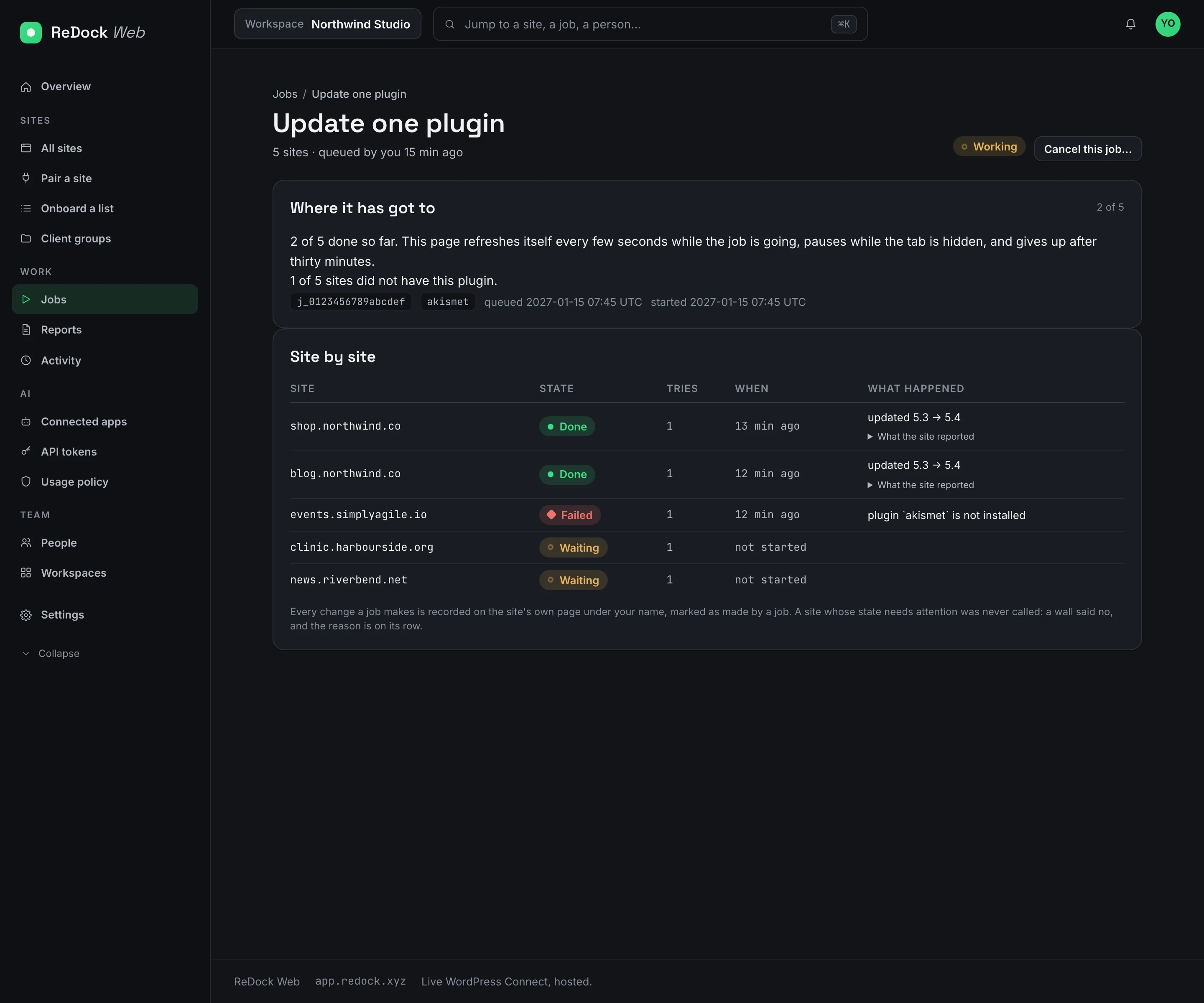
Pick the sites, or a client group, or all of them, confirm once and close the tab. Each site gets its own row with its state, how many tries it took and what the site reported. Cancel while it runs. When it ends, run the failed sites again as a new job and keep the first one as the record.

  • Eight kinds of job, from update every plugin to switch the theme and refresh the caches.
  • A site that does not have the plugin says so on its row and the rest carries on.
  • A site's own buttons wait while a job is working on it.
A running job, Update one plugin across five sites, with a Done, Failed or Waiting state and a sentence from the site on each row

A snapshot before every plugin update. No snapshot, no update.

Every plugin update is two steps on each site, snapshot then update. A site that cannot make the snapshot is skipped rather than updated. If the update goes wrong, Restore puts the old version back in one press, through the same queue, recorded the same way.

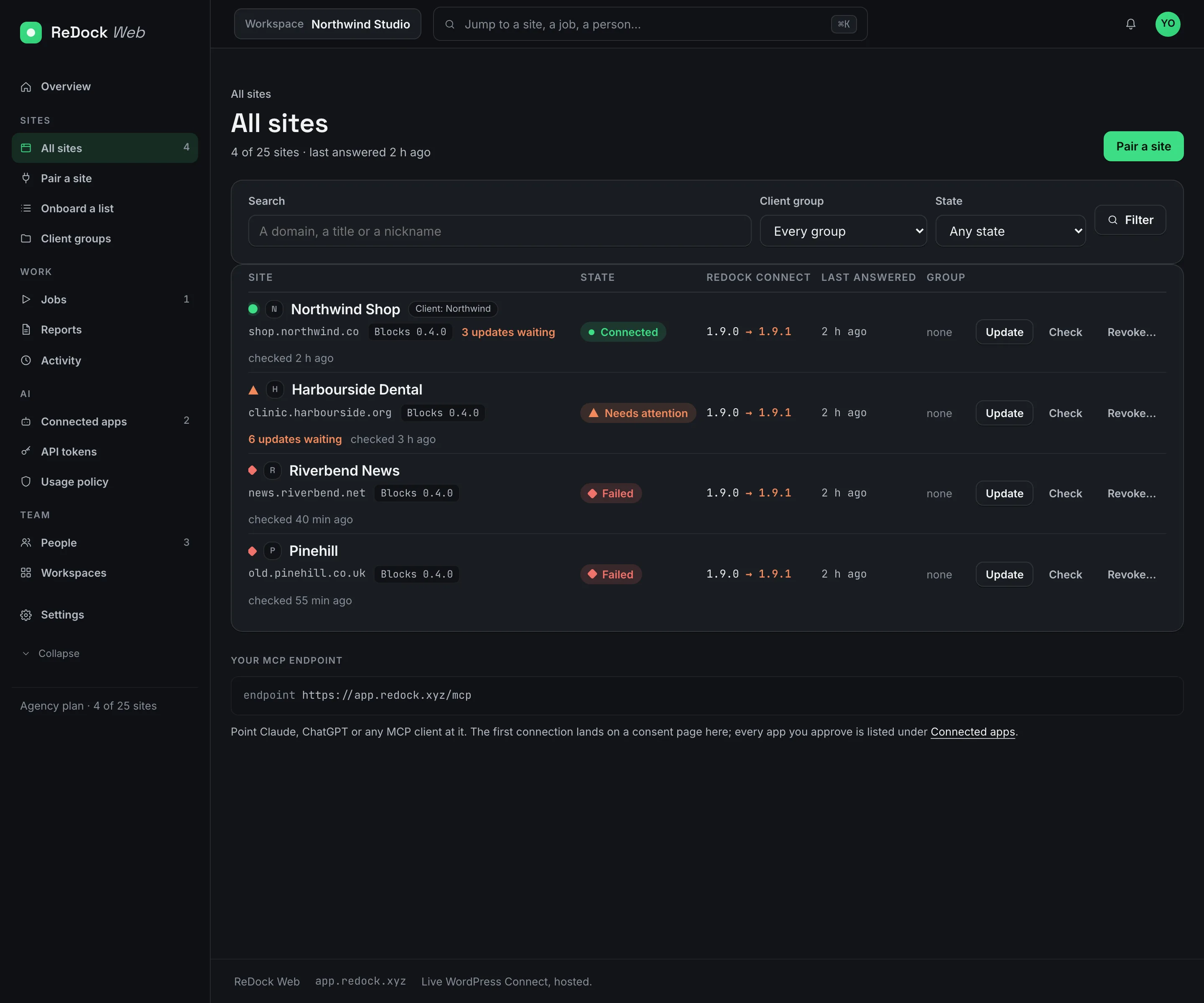
The All sites list, four sites with Connected, Needs attention and Failed states, the ReDock Connect version on each and Update, Check and Revoke buttons

A state made of reasons, not a score.

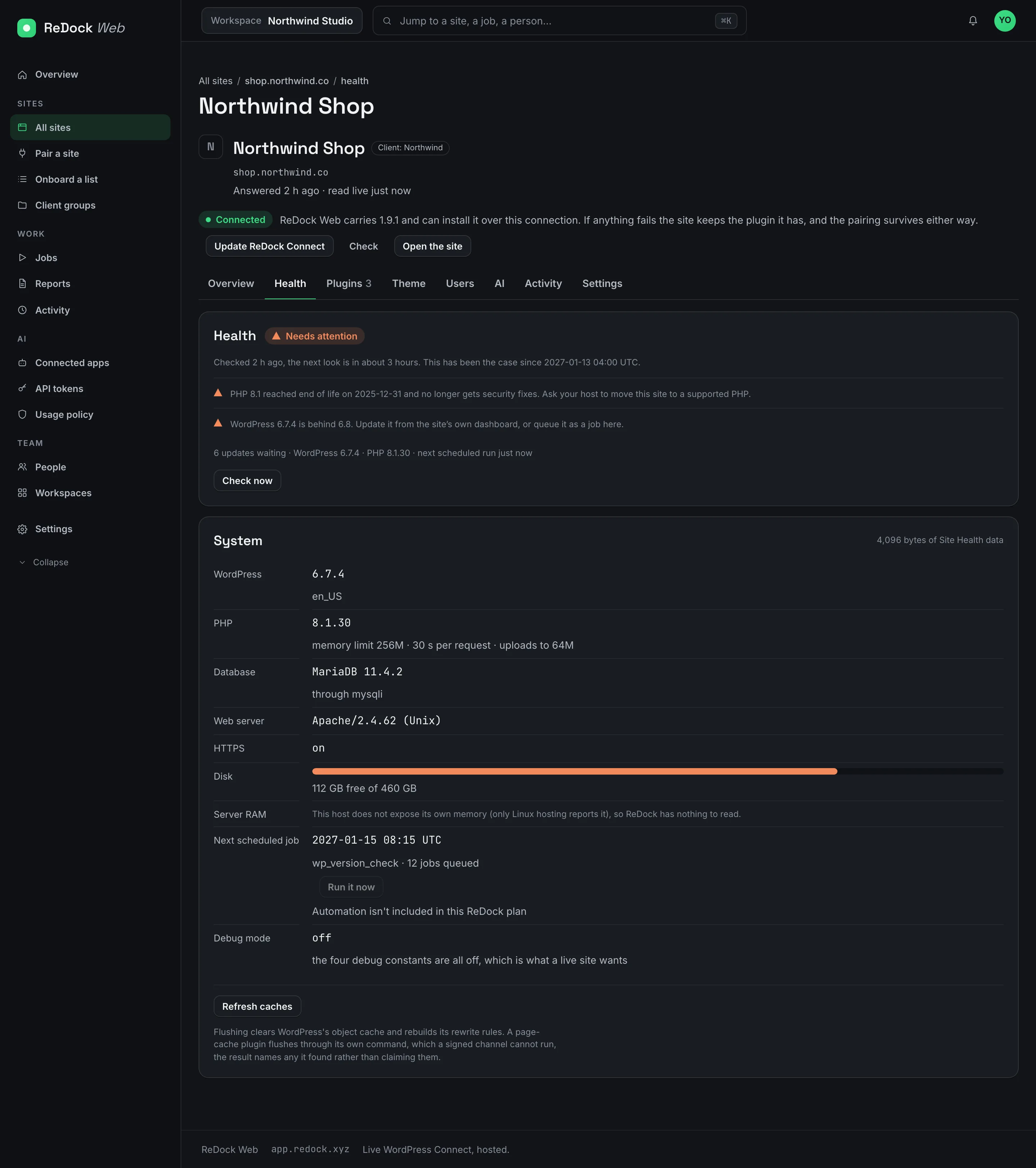
Every connected site is checked several times a day. The list sorts by what needs attention and says why in a sentence, such as the site did not answer the last four checks, PHP reached end of life on a date, WordPress is behind, WP-Cron is switched off, or a new client key appeared. Owners can have an email when a site goes down.

A site's Health tab with the reasons for its state written out in sentences

The client's month, written for you.

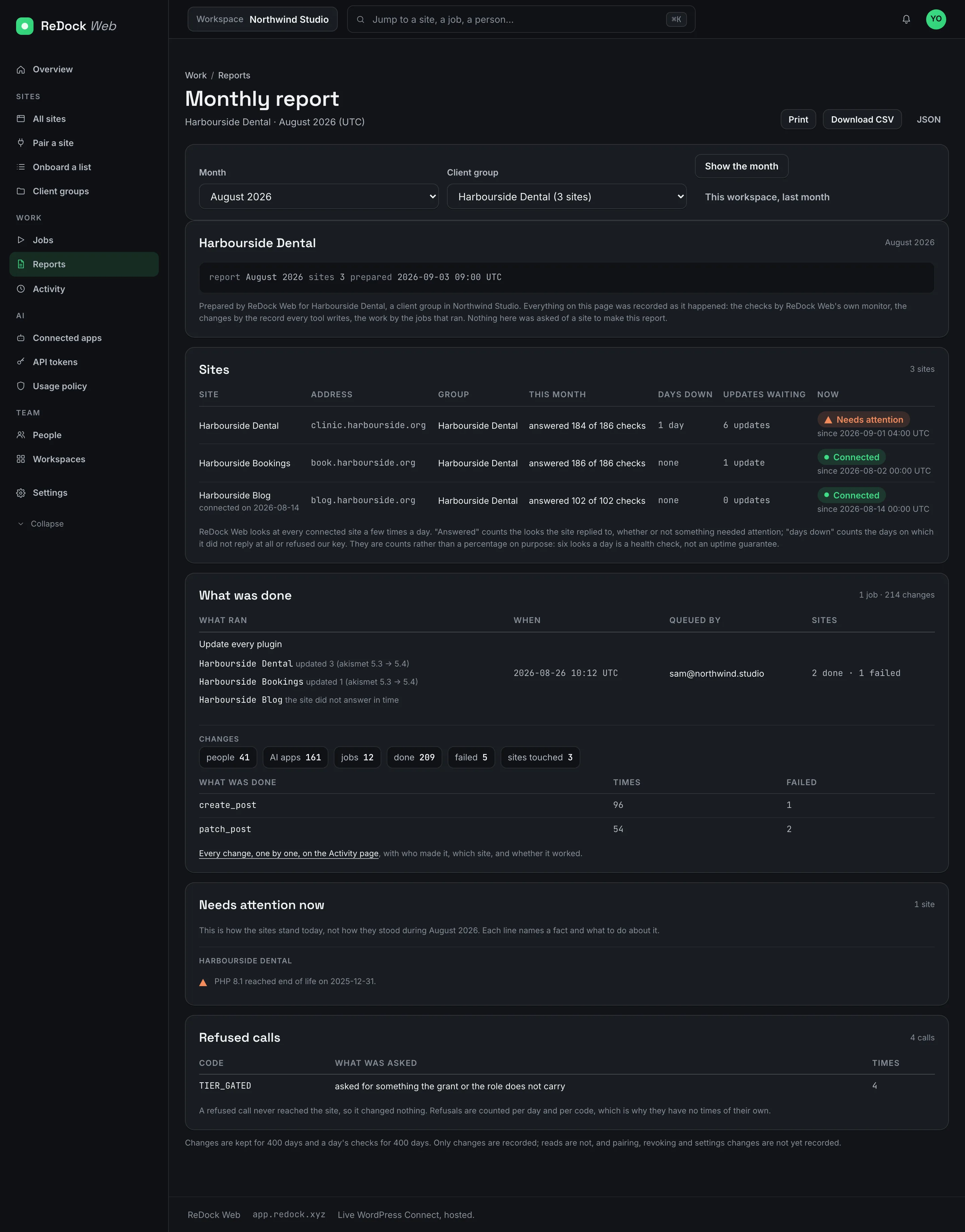
A report per client group or per workspace, with the checks each site answered, the days it was down, the jobs that ran and who queued them, every change counted by tool, what needs attention today and the calls that were refused. Print it, download it as CSV or JSON, or have it emailed on the first of the month. Put your own name, logo and colours on a client group's copy.

A monthly report for a client group, sites with checks answered and days down, what was done, what needs attention now, and refused calls

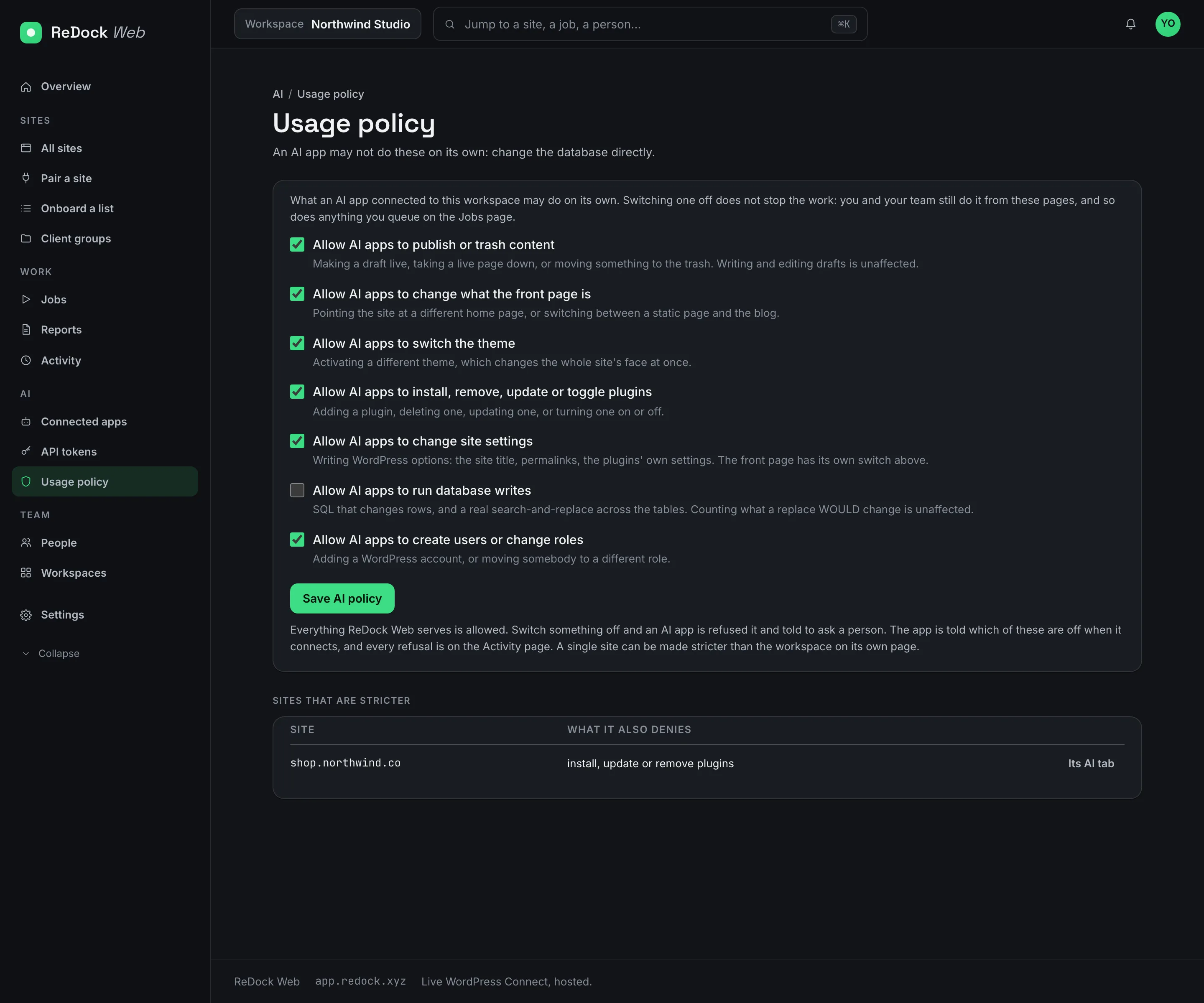
Seven switches say what an AI app may do on its own.

Publishing, the front page, the theme, plugins, settings, the database and users each have a switch. Turn one off and an AI app is refused that action and told to ask a person. You, your team and your jobs are unaffected, every refusal is on the Activity page, and a single site can be made stricter than the workspace.

The Usage policy page with seven Allow AI apps switches, one turned off, and a list of sites that are stricter

Four roles, client groups, single sign-on.

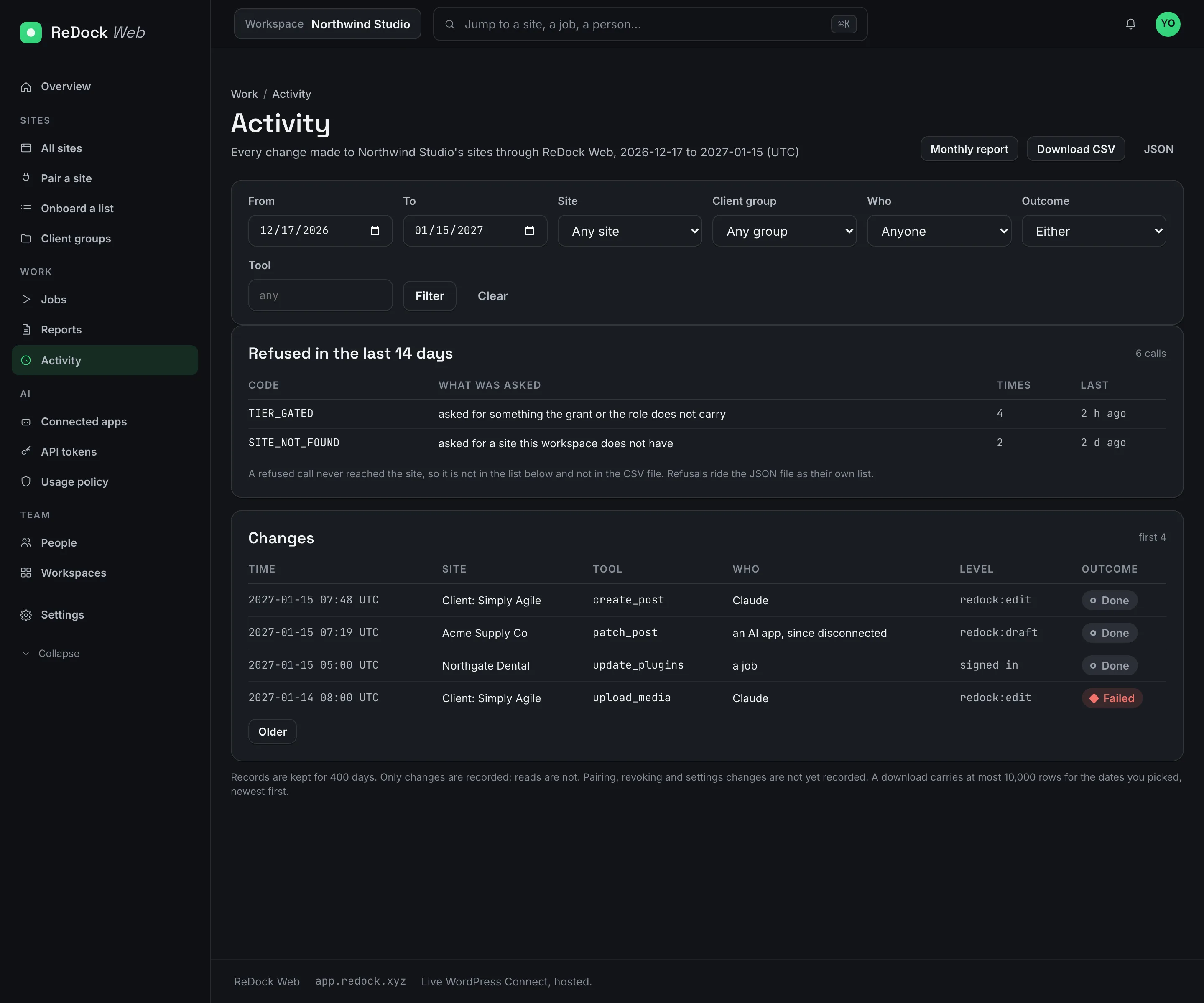
Owner, admin, member and viewer. A viewer can look at every site and press nothing. Invitation links work once, for seven days, for the address you sent them to. Removing someone disconnects their AI apps in the same moment. Sign your team in through Google Workspace, Microsoft Entra or Okta and require it for your domain, proven with a DNS record. Every change anyone makes is on the Activity page with who, which app, which site, when and how it ended, kept for 400 days, downloadable as CSV or JSON.

The Activity page, a trail of changes by people, jobs and AI apps, each with the site, the time and the outcome, with filters and export

Facts

ReDock Web, in a table.

Where
app.redock.xyz, on Cloudflare's network
Sign in
Email, Google, GitHub, or single sign-on through OpenID Connect
Plans
One live site free. Paid plans by how many sites you connect and how many people you bring, priced on tryredock.com.
Records
Activity kept 400 days, kept when a workspace is deleted
Pairing
ReDock Connect on the site, by plugin or by an eight-character code

Also in the catalogue

Works with

ReDock Desktop macOS · Windows

A desktop app that runs your whole local web stack in one window.

WordPress, n8n, Astro, Node, Bun, PHP, MySQL, PostgreSQL and Redis, each site at its own trusted https://name.test address. No terminal, no Docker, no hosts file. Free, on macOS and Windows.

ReDock Connect WordPress

The WordPress plugin that pairs a live site with ReDock.

Install it on a site you own and the site appears in the dashboard. A key per client, revocable from the site at any time. Paste a list of sites, type a short code on each, and every site delivers its own key.

ReDock Blocks WordPress

The plugin the agent edits pages through, in real blocks.

The agent writes and changes posts and pages as real Gutenberg blocks, so what it makes opens in the editor with no invalid-block warnings. Installed for you, on local sites and on live ones.