WordPress

ReDock Connect

The WordPress plugin that pairs a live site with ReDock.

Install it on a site you own and the site appears in the dashboard. A key per client, revocable from the site at any time. Paste a list of sites, type a short code on each, and every site delivers its own key.

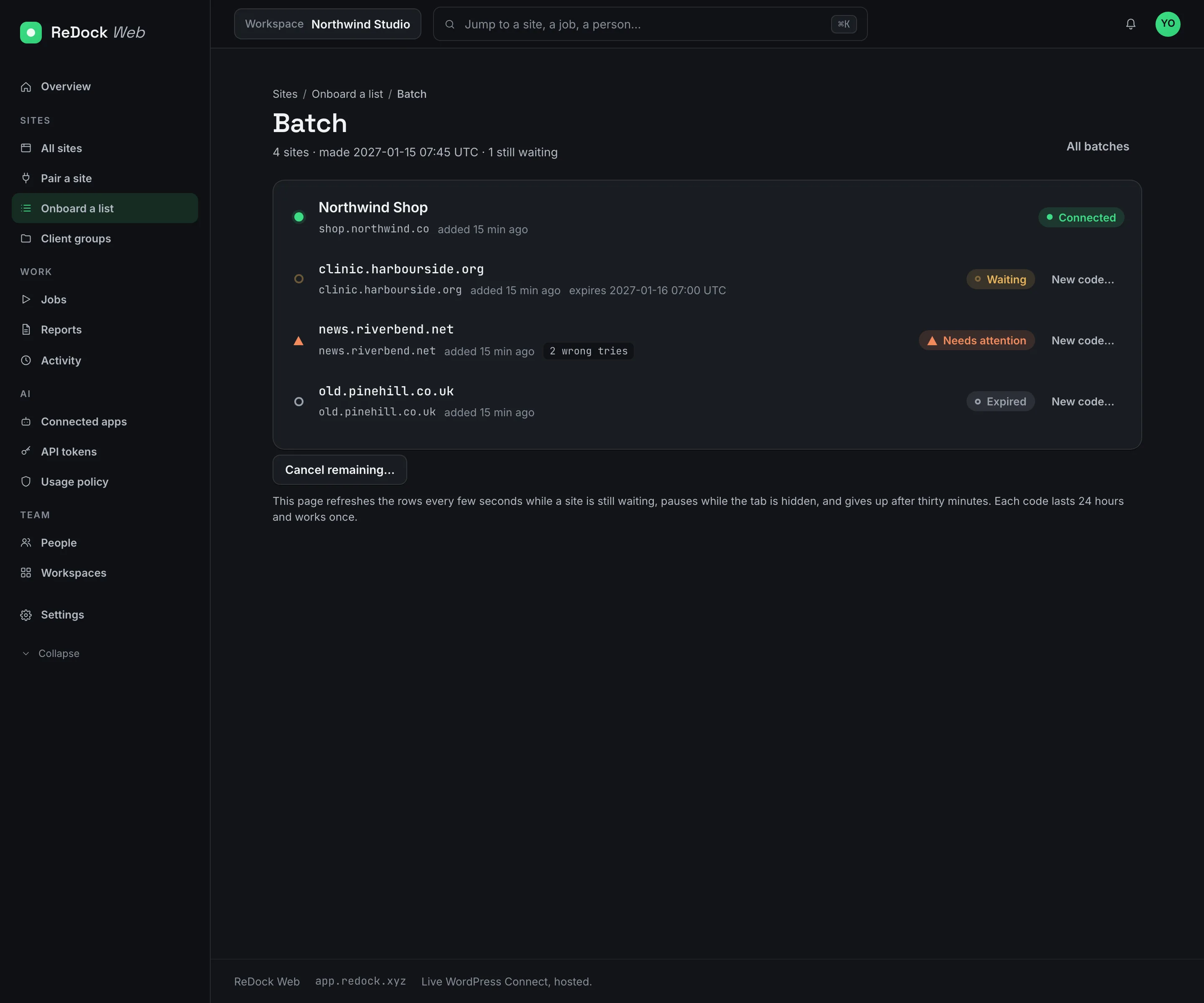
Onboarding a list of sites, one row per address with a code beside it, rows turning to Connected as each site answers
100
sites in one paste, each with its own code
8
characters in a code, from an alphabet with no look-alikes
24h
a code lasts, and it works once
5
wp-content folders a key can reach, and nothing outside them

A hundred sites, a hundred codes, one screen.

Paste the addresses. Each gets an eight-character code, shown once, good for 24 hours and one use. Type the code into the plugin on each site and the row turns green as the site answers. The key travels from the site to ReDock, never through your clipboard, and every site in the batch joins the client group you picked as it connects.

  • The code alphabet has no letters that can be mistaken for digits.
  • A code survives four wrong tries and dies on the fifth.
  • A whole batch can be cancelled or given fresh codes.

A key per client, taken back from the site.

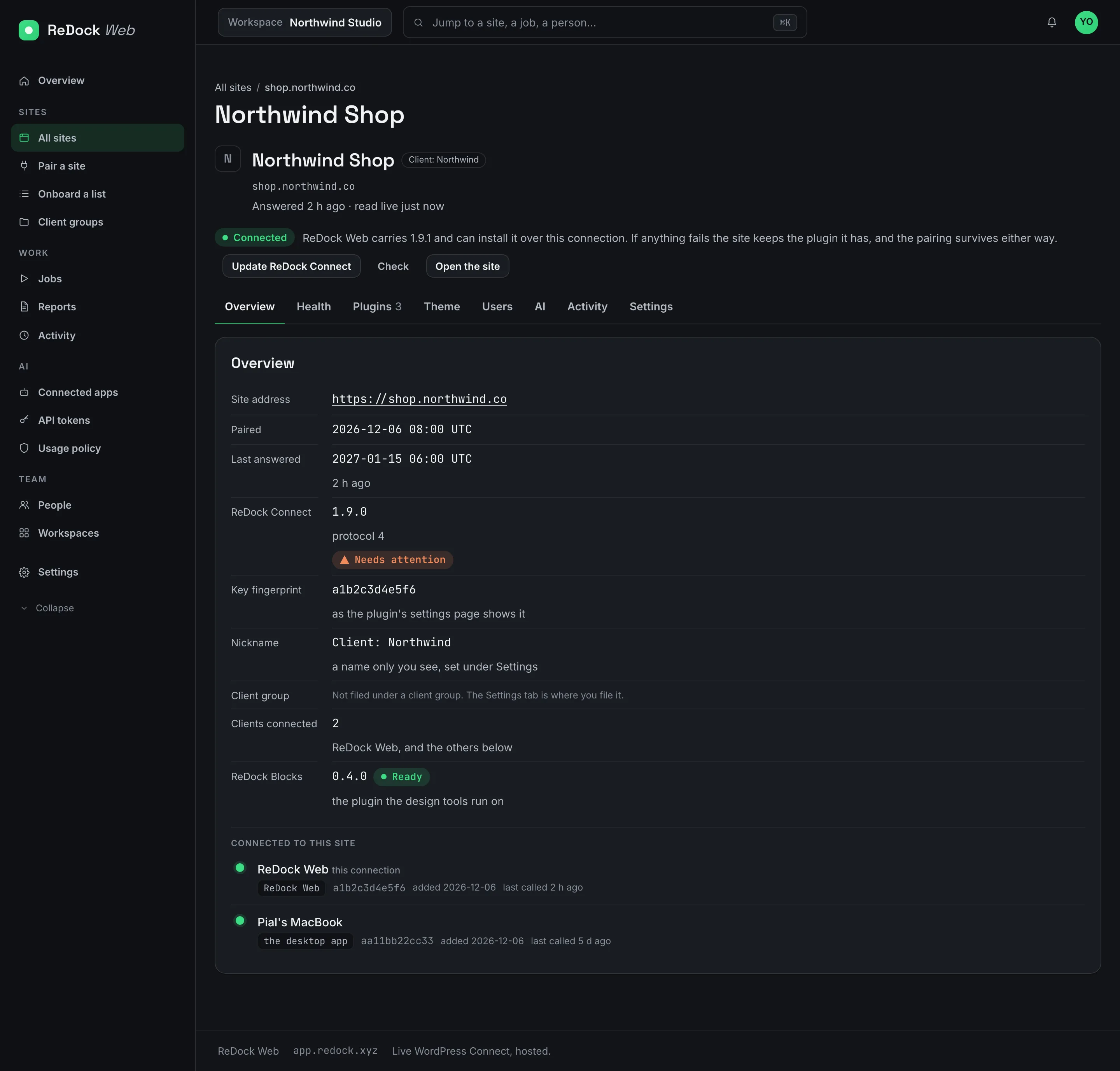
One site can hold several clients, each with its own key. The plugin's settings page in wp-admin lists every client, each with its own Revoke. Deactivating the plugin ends every connection. A key can be read-only.

A site's page in ReDock Web, with the clients connected to this site listed by name and fingerprint, each with a revoke

Scoped to what a site edit needs.

Every request is signed, so an unsigned request is refused and a captured request cannot be sent again. The plugin's file commands open only the five wp-content folders a site is edited in, so wp-config.php and the rest of the site root are out of reach rather than on a list of refusals. A connect key cannot read the other keys on the site.

The other plugins arrive with it.

When a site is paired, ReDock Blocks is installed alongside so the design tools work on that site without uploading anything by hand.

Facts

ReDock Connect, in a table.

Runs on
WordPress, on a site you host
Pairs with
ReDock Web, and ReDock Desktop for a live site you also work on locally
Codes
Eight characters, 24 hours, one use, up to 100 per paste
Revoke
From the site's wp-admin, or from ReDock Web
Reach
Five wp-content folders. Never wp-config.php.

Also in the catalogue

Works with

ReDock Blocks WordPress

The plugin the agent edits pages through, in real blocks.

The agent writes and changes posts and pages as real Gutenberg blocks, so what it makes opens in the editor with no invalid-block warnings. Installed for you, on local sites and on live ones.

ReDock for Elementor WordPress · Elementor

The adapter that lets the agent work on Elementor pages.

On a site that runs Elementor, ReDock Desktop installs its companion and the agent can list the widgets, read a page, change one element and regenerate the CSS. Writes go through Elementor's own save, so a revision backs every change.

ReDock Desktop macOS · Windows

A desktop app that runs your whole local web stack in one window.

WordPress, n8n, Astro, Node, Bun, PHP, MySQL, PostgreSQL and Redis, each site at its own trusted https://name.test address. No terminal, no Docker, no hosts file. Free, on macOS and Windows.